

Book a Free Consultation Now
Would you like to know more about this topic?
Contact us on WhatsApp and get a free consultation from our experts
Contact on WhatsApp NowHow do I check if my site is secure?
Website security is a foundational factor for trust, user experience, and search engine rankings. To properly Check your site from https, you need to verify whether all data exchanged between your website and users is encrypted and protected from interception. A secure website prevents data theft, protects user credentials, and signals credibility to both visitors and search engines. Without proper security, your site becomes vulnerable to attacks, warnings, and ranking drops.
From a technical SEO standpoint, site security is closely tied to SSL certificate validity and browser security indicators. Modern browsers actively warn users when a site is not secure, which increases bounce rates and reduces conversions. Search engines also favor secure websites, making HTTPS a non-negotiable standard for any serious online presence.
Before checking technical details, it’s important to understand the practical ways to verify your website’s security status.
-
Check the browser address bar carefully
A secure website displays a padlock icon next to the URL. Clicking this icon reveals encryption details and certificate information. -
Review SSL certificate information
Open the certificate details to confirm it is valid, issued by a trusted authority, and not expired. -
Test your site with online security tools
Use website security scanners to detect vulnerabilities, mixed content issues, or weak encryption settings. -
Check for browser security warnings
Any “Not Secure” warning is a clear sign that your site requires immediate action.
Check your site from HTTPS
Ensuring that your website fully runs on HTTPS is essential for protecting users and maintaining SEO consistency. When you Check your site from https, you are verifying that every page, image, script, and internal link is delivered through a secure connection. Partial HTTPS implementation can cause mixed content warnings, which weaken security and damage user trust even if an SSL certificate is installed.
From an SEO and performance standpoint, HTTPS is linked to secure data transmission and search engine trust signals. Search engines prefer fully secured websites, and any remaining HTTP pages can create duplicate content issues or crawl inefficiencies. A proper HTTPS setup ensures that both users and search engines interact with one consistent, secure version of yo
-
Manually test key pages using HTTPS
Type your domain with https:// and ensure it loads without redirects or errors. -
Check for HTTP versions still accessible
Try loading http:// versions to confirm they redirect automatically to HTTPS. -
Scan for mixed content issues
Use developer tools or online scanners to identify insecure scripts, images, or stylesheets. -
Verify HTTPS enforcement rules
Ensure server-level redirects and canonical tags consistently point to HTTPS URLs.
At Nofal Seo, we don’t just enable HTTPS—we audit every asset, redirect, and canonical signal to guarantee full HTTPS compliance without SEO loss.
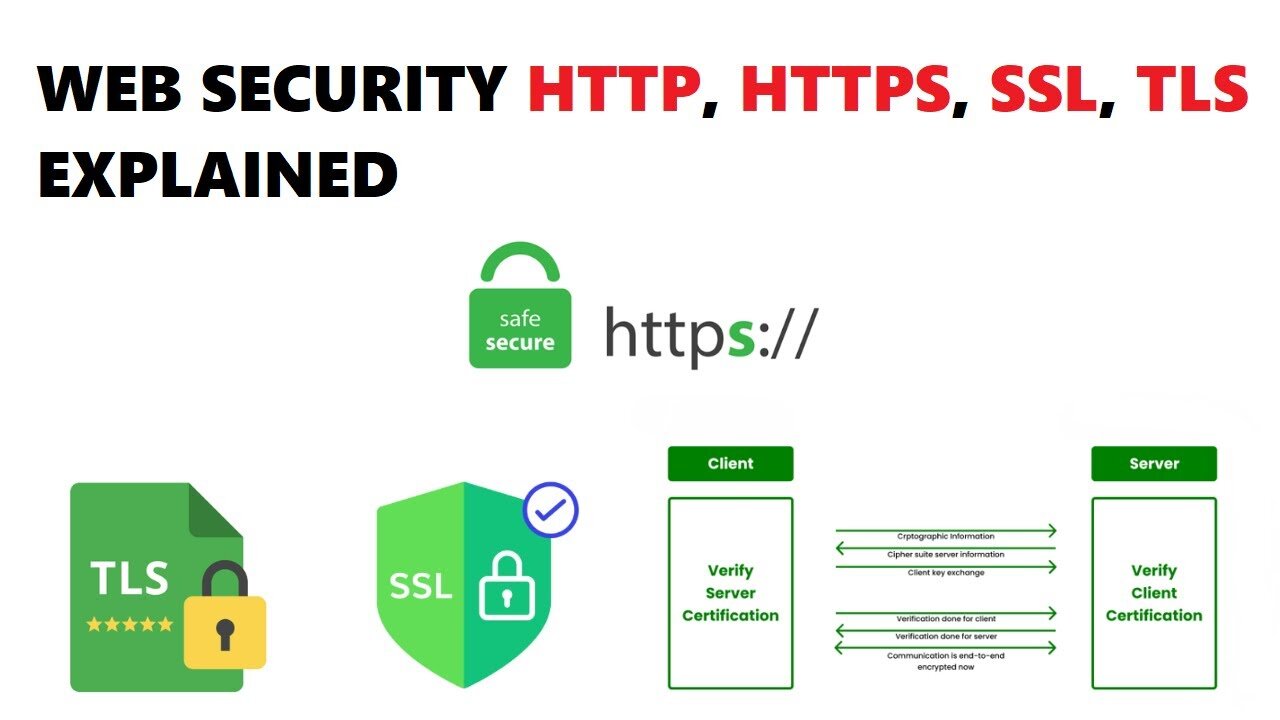
Is Google Chrome HTTPS or HTTP?
Google Chrome itself is a browser, not a protocol, but it strongly influences how websites are perceived in terms of security. When users Check your site from https, Chrome evaluates the website’s encryption level and displays clear indicators about its security status. Websites running on HTTP are labeled as “Not Secure,” which immediately reduces user confidence.
From a usability and security perspective, Chrome enforces HTTPS-first behavior and browser security warnings. This means Chrome encourages encrypted connections and may block insecure content. As a result, websites that fail to adopt HTTPS risk losing traffic, trust, and conversions even if their content quality is high.
To understand Chrome’s role, it’s helpful to know how it evaluates websites.
-
Chrome prioritizes HTTPS connections automatically
It attempts secure connections before loading HTTP versions. -
Visual security warnings affect user behavior
“Not Secure” labels reduce form submissions and conversions. -
Chrome blocks unsafe scripts and downloads
Insecure elements may fail to load entirely. -
Chrome updates security requirements regularly
Sites must stay compliant with evolving standards.
How do I make sure my website is HTTPS?
Making sure your website runs entirely on HTTPS is a critical step for protecting user data and maintaining search engine trust. When you Check your site from https, you are confirming that your website uses encrypted connections across all pages, not just the homepage. Simply installing an SSL certificate is not enough; HTTPS must be enforced consistently to avoid security gaps and SEO issues. Many websites lose rankings because HTTP pages remain accessible without proper redirects.
From a technical SEO perspective, HTTPS implementation affects SSL configuration and HTTPS redirection setup. Search engines expect a single secure version of your site, and inconsistent protocol usage can cause duplicate content, crawl waste, and mixed signals. Ensuring HTTPS across your website improves credibility, enhances user confidence, and aligns your site with modern web standards.
Before confirming HTTPS readiness, follow a systematic verification process.
-
Install a valid SSL certificate
Choose a trusted certificate authority and ensure the certificate matches your domain. -
Force HTTPS redirects sitewide
Configure server rules to redirect all HTTP requests to HTTPS. -
Update internal links and assets
Replace hardcoded HTTP URLs inside content, scripts, and stylesheets. -
Update SEO signals
Ensure canonicals, sitemaps, and Search Console properties reflect HTTPS.
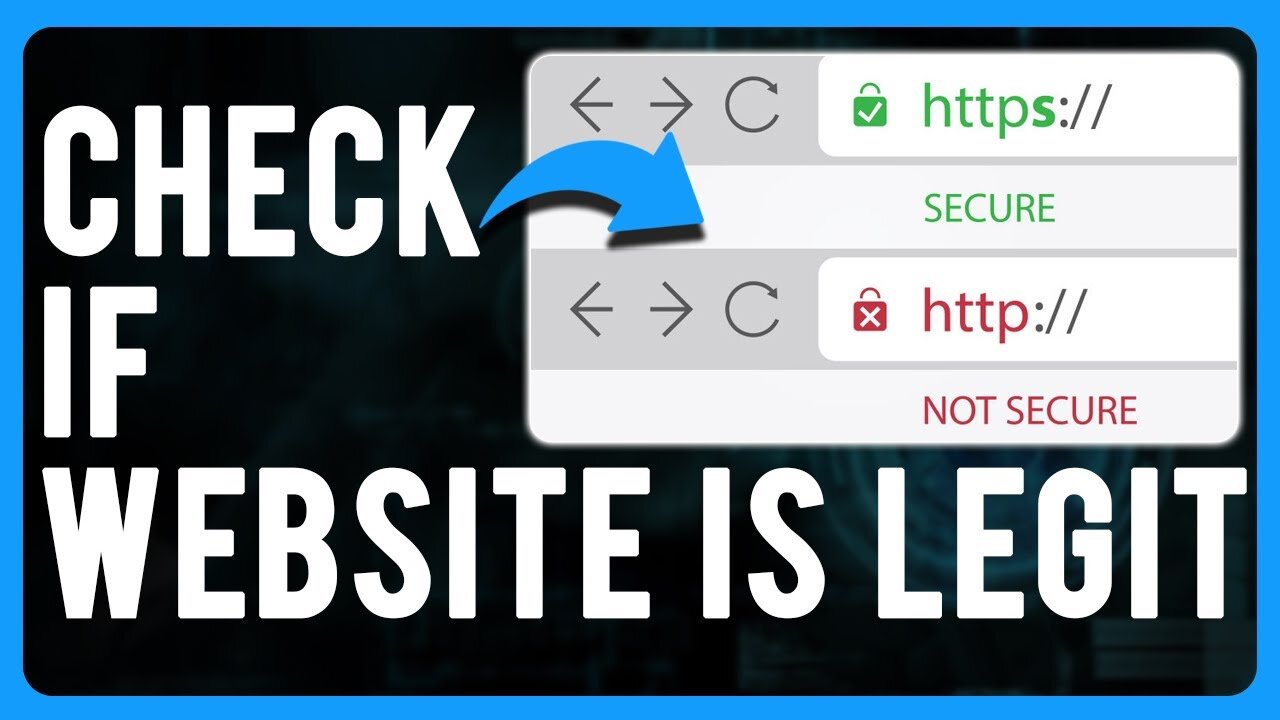
How to know if HTTP or HTTPS?
Knowing whether a website uses HTTP or HTTPS helps identify potential security and SEO risks early. To properly Check your site from https, you need to confirm how your site responds to different protocol requests and whether secure access is enforced by default. Many websites appear secure but still allow HTTP access in the background.
From an auditing perspective, this involves protocol consistency checks and redirect behavior analysis. Search engines prefer clarity, and inconsistent protocol handling can confuse crawlers and weaken ranking signals. Verifying protocol usage is a basic but essential step in technical SEO audits.
Before running advanced tests, start with basic checks.
-
Look at the URL prefix directly
HTTPS URLs always begin with https://, while HTTP lacks encryption. -
Test protocol behavior manually
Try accessing both versions and observe redirect behavior. -
Check canonical tags
Canonicals should consistently reference HTTPS pages. -
Inspect server response codes
Proper HTTPS sites return 301 redirects from HTTP to HTTPS.
Our audits at Nofal Seo focus heavily on protocol consistency to prevent silent SEO issues caused by mixed HTTP/HTTPS signals.
Is HTTP secure?
HTTP is not designed to protect data, which makes it unsuitable for modern websites. When users Check your site from https, they are verifying whether data is encrypted and protected from interception. HTTP sends information in plain text, meaning attackers can easily read or alter transmitted data.
From a security and compliance standpoint, HTTP fails to meet data encryption standards and user privacy requirements. Browsers actively discourage HTTP usage, especially on pages that collect user information. Search engines also treat HTTP sites as less trustworthy, which can negatively affect visibility and engagement.
Understanding HTTP limitations clarifies why HTTPS is essential.
-
Data can be intercepted easily
Attackers can read or modify unencrypted traffic. -
No identity verification
Users cannot confirm the authenticity of the website. -
Browsers flag HTTP as unsafe
This damages trust and credibility instantly. -
SEO performance is negatively affected
Search engines prefer encrypted websites.
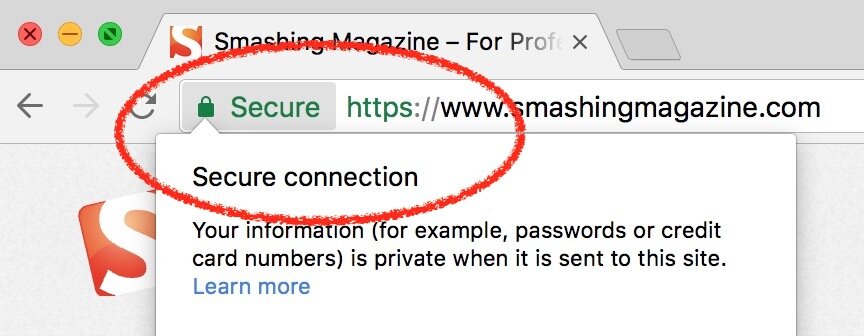
How to check if website is HTTP or HTTPS
Checking a website’s protocol status is part of routine SEO and security maintenance. To Check your site from https, you must verify that all pages load securely and that no hidden HTTP URLs remain accessible. This is especially important after migrating from HTTP to HTTPS.
From a technical audit perspective, this process includes URL inspection and site-wide protocol analysis. Even a few leftover HTTP URLs can create crawl issues and reduce overall trust signals.
Use the following detailed checks.
-
Crawl the site using SEO tools
Identify any URLs still served over HTTP. -
Inspect internal linking structure
Internal links should always reference HTTPS pages. -
Review sitemap URLs
Sitemaps must contain only HTTPS URLs. -
Check external backlinks
Redirect HTTP backlinks to HTTPS equivalents.
Check HTTP version of website
Testing the HTTP version of your website helps identify whether insecure access points still exist. To fully Check your site from https, you must confirm that the HTTP version redirects correctly and cannot be accessed independently. Leaving HTTP active weakens both security and SEO clarity.
From a server-side perspective, this relates to redirect rules and protocol enforcement. Search engines expect HTTP traffic to be permanently redirected to HTTPS, ensuring one authoritative version of each page.
Before concluding your audit, test the HTTP version thoroughly.
-
Access the site via http:// manually
Confirm it redirects instantly to HTTPS. -
Check response codes
Proper redirects should return 301 status codes. -
Inspect server configuration files
Ensure redirect rules are applied globally. -
Test multiple URL paths
Not just the homepage—test internal pages too.
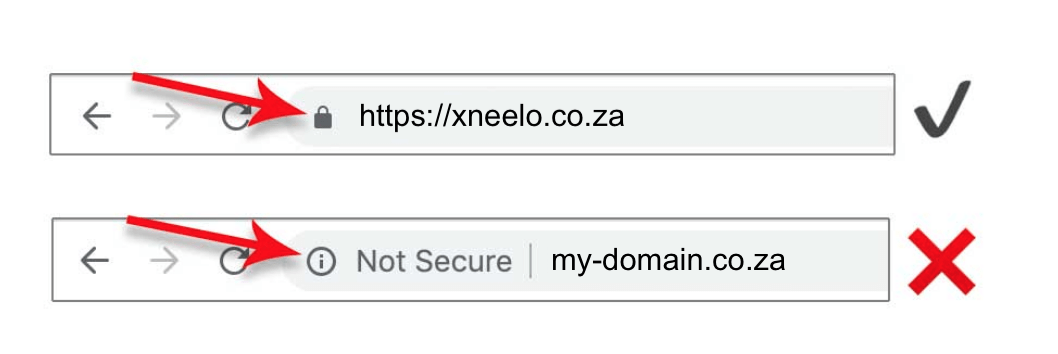
Test HTTP
HTTP testing ensures your website does not expose unsecured entry points. When you Check your site from https, testing HTTP behavior helps confirm encryption is enforced consistently and no insecure resources are loading.
From a security review standpoint, HTTP testing supports secure connection enforcement and risk prevention. Regular testing prevents regressions caused by updates or misconfigurations.
Follow these steps carefully.
-
Run protocol tests using online tools
Identify unsecured endpoints or fallback behavior. -
Analyze redirect chains
Avoid multiple hops that slow performance. -
Check mixed content loading
Ensure no HTTP assets load on HTTPS pages. -
Repeat tests after updates
Changes can reintroduce HTTP issues.
Localhost to HTTPS
Using HTTPS on localhost helps developers catch security and mixed content issues early. To Check your site from https, testing HTTPS locally ensures that production deployments behave as expected. This is especially important for modern frameworks and APIs.
From a development standpoint, this involves local SSL setup and secure development environments. Aligning local and live environments reduces deployment risks and technical SEO errors.
Steps to enable HTTPS on localhost include:
-
Generate a local SSL certificate
Use development tools that support HTTPS locally. -
Configure your local server
Enable HTTPS in your server or framework settings. -
Update environment variables
Ensure URLs point to HTTPS versions. -
Test before deployment
Catch issues early in development.
Check SSL Certificate
Checking your SSL certificate is a critical step in confirming that your website is secure and trusted by browsers and search engines. When you Check your site from https, the SSL certificate is what enables encrypted communication between your server and users, protecting sensitive data such as login credentials and personal information. An invalid or expired SSL certificate can cause security warnings, browser blocks, and a loss of user trust. Even if your site loads over HTTPS, certificate issues can silently break security and impact SEO.
From a technical and SEO perspective, SSL certificates directly affect website security and HTTPS trust signals. Search engines rely on valid certificates to verify site authenticity, while browsers use them to display security indicators like the padlock icon. Problems such as mixed certificates, expired validity, or incorrect domain coverage can cause browsers to flag your site as unsafe, increasing bounce rates and reducing conversions. Regular SSL checks help ensure ongoing protection and prevent unexpected disruptions.
Before assuming your SSL setup is correct, you should verify the certificate details carefully.
-
Open your website and click the padlock icon in the address bar
-
Review the certificate issuer, expiration date, and domain coverage
-
Confirm the certificate is issued by a trusted Certificate Authority
-
Check that all subdomains are included if your site uses them
Do you need a consultation about this topic?
Contact on WhatsApp
