

Book a Free Consultation Now
Would you like to know more about this topic?
Contact us on WhatsApp and get a free consultation from our experts
Contact on WhatsApp NowSetting the ad account is the process of configuring the core advertising structure that allows businesses to run, manage, and track paid campaigns on platforms like Facebook and Meta. It involves defining ownership, selecting the correct currency and time zone, adding verified payment methods, and assigning user roles. A properly set ad account ensures accurate reporting, stable ad delivery, and secure access control across campaigns. Without correct setup, advertisers often face billing issues, tracking errors, and account limitations. For businesses that want a reliable and scalable advertising foundation, Nofal Seo provides expert ad account setup aligned with platform policies and long-term growth goals.
What Is an Ad Account?
An ad account is the core system that allows advertisers to create, manage, and analyze paid advertising campaigns on Meta platforms. During Setting the ad account, this structure becomes the central hub where campaigns, ad sets, ads, budgets, billing information, and performance data are stored and controlled. Without a properly configured ad account, advertisers lose control over spending, targeting accuracy, and performance optimization, which makes long-term scaling extremely difficult.
From a business perspective, an ad account represents ownership, financial control, and accountability. It determines who controls budgets, who can access data, and how advertising results are measured over time. A well-structured ad account supports stable growth, while a poorly built one often leads to wasted budget, access conflicts, and compliance issues that may stop advertising completely.
Before running any ads, it’s essential to understand the main components of an ad account and why each one matters.
-
Campaign structure
The ad account organizes campaigns, ad sets, and ads in a hierarchy that controls budgets, audiences, and creatives. A clear structure makes optimization easier and prevents changes from affecting unrelated campaigns. -
Billing and financial management
All charges, invoices, spending limits, and payment methods are managed here. Incorrect billing setup can pause ads automatically and disrupt campaign performance. -
Performance tracking and reporting
The ad account records impressions, reach, clicks, conversions, and costs, allowing advertisers to evaluate ROI and make data-driven decisions. -
Access and permission control
Different user roles ensure that only authorized people can manage ads or billing, reducing operational and security risks.
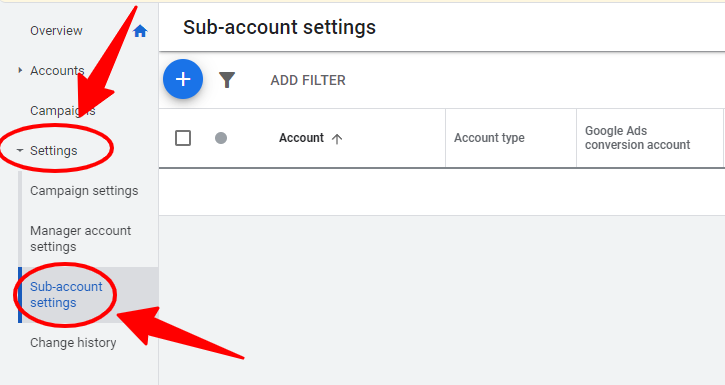
Setting the Ad Account
Setting the ad account is the most critical stage before launching any Facebook or Meta advertising campaign. This step defines the technical, financial, and ownership foundations of the entire advertising system. Key decisions—such as currency, time zone, and business ownership—directly affect reporting accuracy, billing behavior, and account stability, and most of these settings cannot be changed later.
From a long-term strategy standpoint, proper setup protects advertisers from future limitations and unexpected disruptions. Many issues such as payment failures, low spending limits, or ownership disputes can be traced back to mistakes made during this initial phase. A carefully configured ad account ensures smooth ad delivery, accurate data, and scalable growth.
Before launching ads, these setup elements must be completed carefully.
Step 1: Access Meta Business Manager
Go to Meta Business Manager and log in using your Facebook profile. Business Manager is the safest place to create and control advertising assets because it ensures business ownership instead of personal ownership.
Step 2: Create a New Ad Account
Inside Business Settings, choose Ad Accounts and click Add → Create a New Ad Account. Select the correct business name, advertising purpose, and confirm that the account is owned by your business.
3: Choose Currency and Time Zone
Select the correct currency and time zone carefully. These settings affect reporting, billing, and performance data and cannot be changed later, so they must match your business operations.
Step 4: Assign Ad Account Roles
Add team members and assign roles such as Admin, Advertiser, or Analyst. Each role controls what users can access, which helps protect budgets and sensitive data.
Step 5: Add and Verify a Payment Method
Add a valid payment method such as a credit card or PayPal account. Make sure it is verified to avoid ad interruptions or automatic campaign pauses.
6: Connect Business Assets
Link your Facebook Page, Instagram account, and other business assets. Ads cannot run properly without connected assets, and incorrect linking can cause approval or branding issues.
7: Review Spending Limits and Notifications
Set spending limits and enable billing notifications. This step helps control budgets and prevents unexpected charges while ads are running.
Step 8: Secure the Ad Account
Enable two-factor authentication and review security settings. This protects the ad account from unauthorized access or accidental changes.
Step 9: Check Account Status
Before launching any campaigns, confirm that the ad account status is active and free from restrictions or warnings.
10: Test Before Scaling
Launch a small test campaign to confirm that billing, tracking, and delivery work correctly before increasing budgets or scaling campaigns.
How to Set an Ad Account?
Creating an ad account requires more than clicking a “Create” button. During Setting the ad account, advertisers must decide where the account is created, who owns it, and how access is managed. These decisions directly impact security, flexibility, and the ability to scale campaigns safely.
From an operational perspective, businesses should always create ad accounts through Business Manager to avoid dependency on personal profiles. This approach ensures stability, easier collaboration, and better asset protection as advertising activities grow.
From a structural standpoint, the setup process integrates the ad account with Business Manager and supports scalable advertising through campaign management. When done correctly, advertisers gain full control over budgets, permissions, and reporting.
To set an ad account properly, follow these steps.
-
Access Meta Business Manager first
Creating the account inside Business Manager ensures the business owns the account, not an individual profile. -
Select the correct ownership type
Business ownership provides full control and long-term security, while personal ownership creates limitations. -
Assign roles and permissions carefully
Grant access based on responsibilities to prevent unauthorized changes. -
Confirm billing details before launch
Verifying payments early avoids campaign interruptions after ads go live.
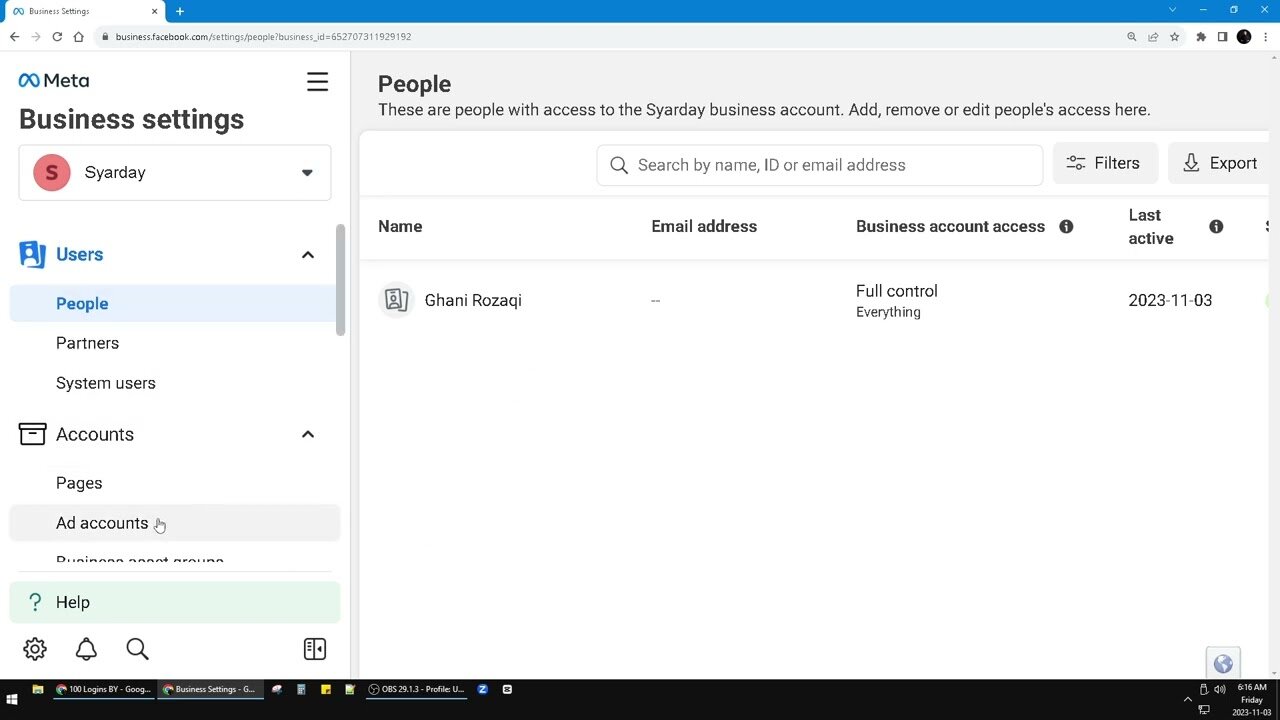
How to Set a Facebook Ad Account?
A Facebook ad account allows advertisers to run campaigns across Facebook, Instagram, Messenger, and Audience Network. During Setting the ad account, this setup connects advertising tools with targeting options, budgets, and analytics in one system. Proper configuration enables efficient testing, optimization, and scaling.
From a marketing perspective, mistakes at this stage can limit reach, reduce tracking accuracy, or trigger compliance reviews. Businesses that rely on paid traffic must treat this step as a foundation, not a shortcut.
From a technical perspective, a Facebook ad account integrates with Facebook Ads Manager and supports advanced features like conversion tracking, allowing advertisers to measure results accurately.
To set up a Facebook ad account correctly, focus on these actions.
-
Create the account inside Business Manager
This ensures ownership, security, and scalability. -
Connect the correct Facebook Page
Ads cannot run without a Page, and incorrect linking causes branding issues. -
Verify business and account details
Clear information reduces the risk of rejections. -
Review account limits early
Understanding limits helps plan budgets realistically.
At Nofal Seo, we approach ad account setup as a strategic foundation, not a technical formality. Our team focuses on building stable advertising structures that support accurate tracking, secure access, and scalable campaign growth from day one.
Facebook Ads Manager
Facebook Ads Manager is the main dashboard used to control all advertising activities. During Setting the ad account, Ads Manager becomes the tool where campaigns are created, edited, monitored, and optimized in real time. Every advertising decision flows through this interface.
From a performance standpoint, Ads Manager enables fast optimization. Advertisers can adjust budgets, pause ads, test creatives, and analyze results instantly, which makes it essential for daily campaign management.
From an analytics perspective, Ads Manager integrates with performance reporting and ad optimization tools, helping advertisers improve results continuously.
To use Ads Manager effectively, understand its core features.
-
Campaign creation tools
Support objectives such as traffic, leads, and conversions. -
Advanced audience targeting
Define demographics, interests, and behaviors. -
Budget and bid controls
Manage daily and lifetime spend efficiently. -
Detailed reporting dashboards
Analyze performance at campaign, ad set, and ad levels.
Facebook Ad Account Settings
Facebook ad account settings control how advertising works behind the scenes. During Setting the ad account, these settings define spending limits, billing alerts, notifications, and security controls that protect the account from misuse.
From a risk-management perspective, reviewing these settings regularly helps prevent unauthorized access and unexpected charges. Proper configuration also ensures compliance with Meta’s advertising policies. From an operational view, these settings integrate with billing management and account security, making them essential for stable advertising.
Before scaling ads, review these key settings carefully.
-
Spending limits
Protect budgets from accidental overspending. -
Billing notifications
Alert advertisers to payment issues immediately. -
Security controls
Enable two-factor authentication to protect access. -
Account status monitoring
Detect warnings or restrictions early.
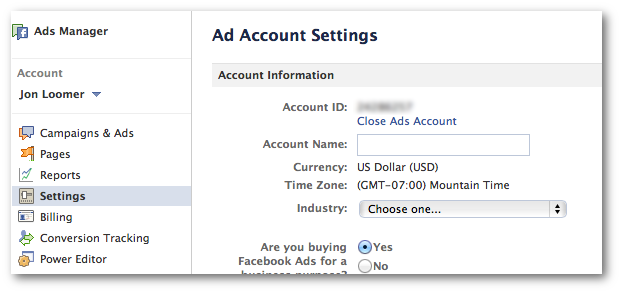
How to Manage Ad Settings?
Managing ad settings is an ongoing responsibility that continues long after Setting the ad account is complete. As campaigns grow, settings must be updated to reflect new budgets, team members, and objectives. Poor management often leads to wasted spend or account warnings.
From a technical angle, ad settings connect with campaign optimization and account performance monitoring, making them critical for long-term success.
To manage ad settings effectively, follow these practices.
-
Review settings on a regular basis
Adjust limits and notifications as campaigns evolve. -
Control user access carefully
Remove inactive or unnecessary users. -
Monitor billing activity closely
Detect failed payments before ads pause. -
Respond to system alerts immediately
Prevent minor issues from becoming major problems.
With Nofal Seo, businesses avoid common ad account issues by starting with a clean, compliant setup aligned with Meta policies. We ensure every setting supports performance optimization, budget control, and long-term advertising efficiency.
Set Up Your Facebook Advertising Account
Setting up a Facebook advertising account goes beyond creation. During Setting the ad account, advertisers must connect assets, verify domains, and install tracking tools to ensure accurate data collection.
From a growth perspective, a complete setup enables advanced targeting and reliable performance measurement. Businesses that skip these steps often struggle to scale or understand results. From a tracking standpoint, this process relies on Meta Pixel and domain verification, which are essential for conversion accuracy.
To complete setup properly, focus on the following.
-
Connect Facebook Pages and assets
Required to publish ads. -
Verify your domain
Improves attribution reliability. -
Install and test Meta Pixel
Enables conversion tracking. -
Validate tracking events
Ensures accurate reporting.
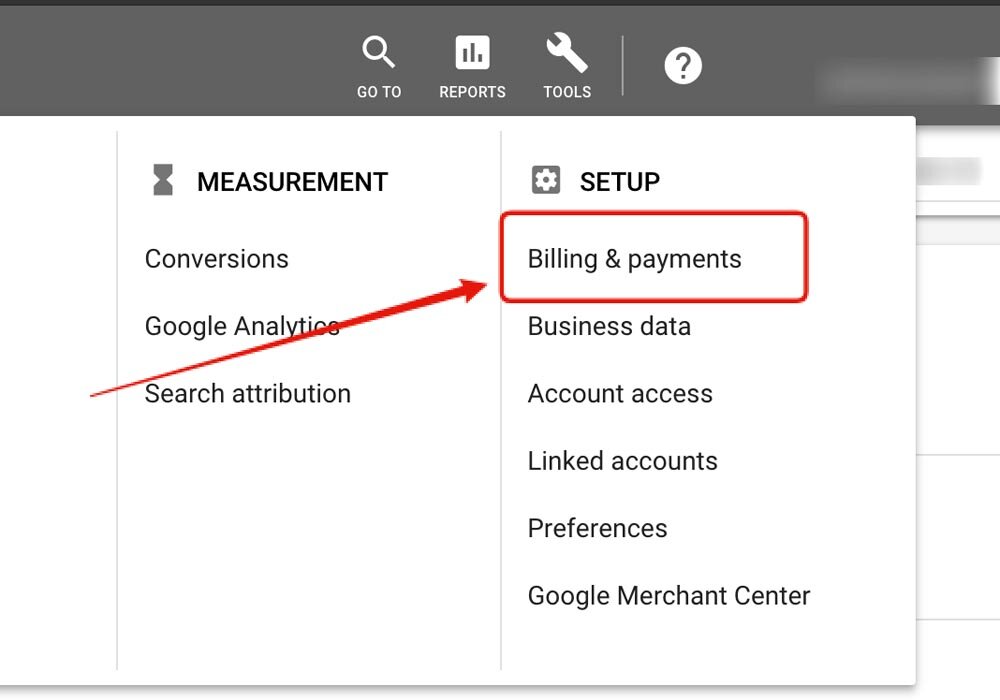
How Do I Create a New Ad?
Creating a new ad is the execution phase after Setting the ad account. This process involves choosing objectives, defining audiences, designing creatives, and setting budgets. Each decision directly affects cost and performance.
From a creative standpoint, ads must communicate value clearly while following Meta policies. Weak creatives reduce engagement and increase costs. From a performance angle, ad creation connects with audience targeting and ad creative optimization, which determine success.
To create a new ad successfully, follow this process.
-
Choose the right campaign objective
Traffic, leads, or conversions based on goals. -
Define the target audience precisely
Use interests, behaviors, or custom audiences. -
Design strong ad creatives
Clear visuals and compelling copy. -
Set budget and schedule strategically
Control spend and delivery timing.
Ad Account Roles and Permissions
Roles and permissions determine who can access and control the ad account. During Setting the ad account, assigning the correct roles protects sensitive data and ensures accountability.
From a security perspective, limiting access reduces risk. Not every team member needs full control. From an operational perspective, roles integrate with access management and account security, making them critical for safe collaboration.
Common roles include:
-
Admin
Full control over ads and billing. -
Advertiser
Create and manage campaigns. -
Analyst
View performance data only. -
Finance roles
Manage or view billing information.
Nofal Seo helps brands move beyond trial-and-error advertising by designing ad account systems that are built for data accuracy and consistent results. Our structured approach allows clients to scale campaigns confidently without risking account stability.
Facebook Ad Account Problems and Solutions
Even after Setting the ad account, advertisers may face challenges such as disabled accounts, payment failures, or spending limits. These problems can disrupt campaigns if not addressed quickly.
From a troubleshooting perspective, most issues can be resolved through verification, appeals, or billing updates. Understanding common problems helps prevent repeated disruptions. From a recovery standpoint, solutions often involve account verification and policy compliance.
Common issues and solutions include:
-
Ad account disabled
Submit an appeal and complete identity verification. -
Payment failures
Update or replace billing methods. -
Spending limits reached
Request limit increases after building trust. -
Ad disapprovals
Review and fix policy violations.
Do you need a consultation about this topic?
Contact on WhatsApp
